Connect your cameras
Discover ONVIF devices on your local network, or add an RTSP stream with the connection details you already use.
CAMERA VIEWING FOR WINDOWS
Bring your RTSP and ONVIF cameras together on your Windows PC. See live views, review local recordings, and focus on the moments that matter.
Windows edition · Microsoft Store link coming soon
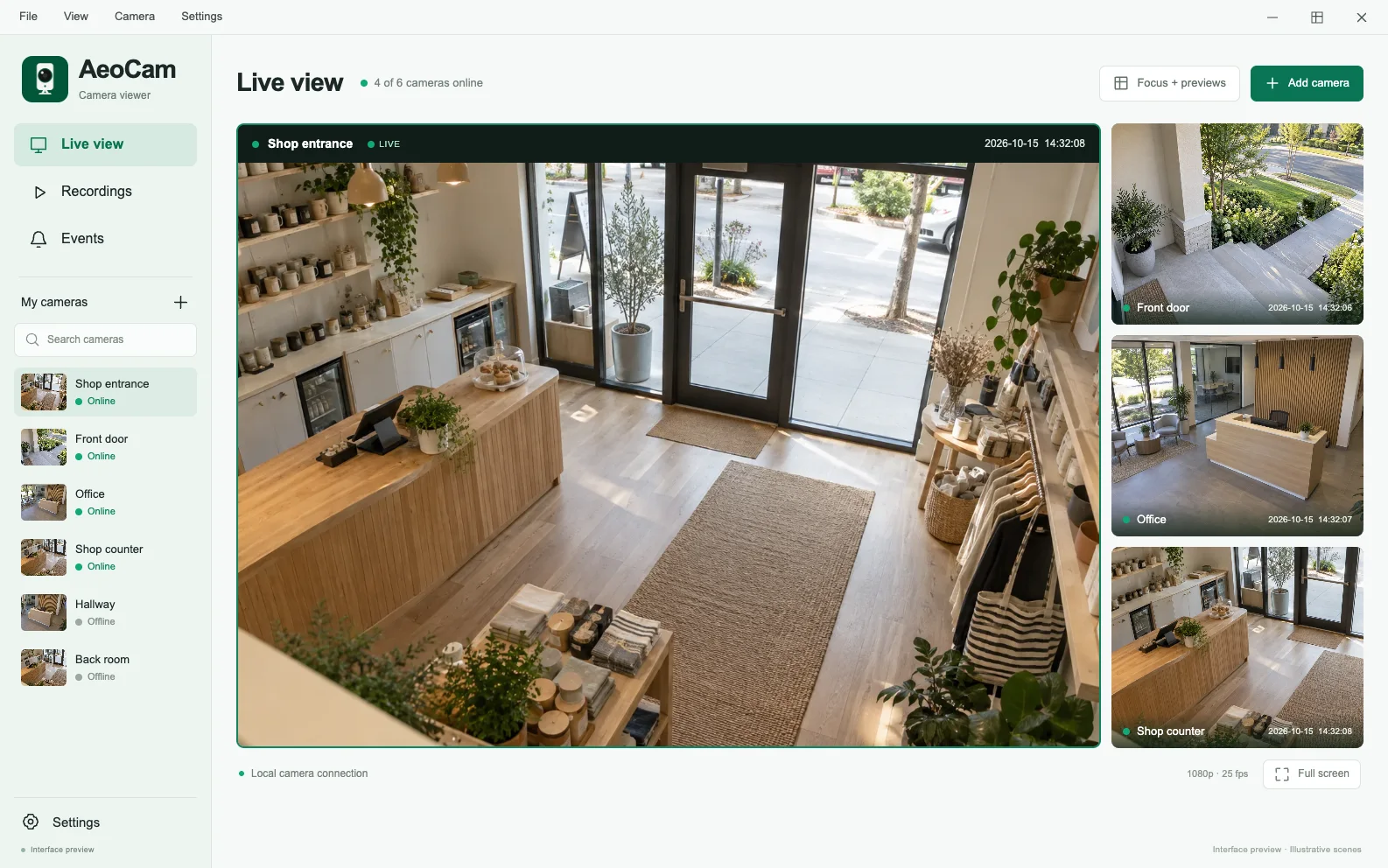
Interface preview. Images show example camera scenes; the released app may look different.
A CLEARER EVERYDAY
The camera tools you need, brought into one focused Windows workspace.
Discover ONVIF devices on your local network, or add an RTSP stream with the connection details you already use.
Bring multiple camera feeds into one view and open a camera’s details when you need a closer look.
Use supported motion, person and sound detection. Set detection regions to focus on the parts of a scene you care about.
Browse local recordings, snapshots and event history. Filter by camera and time to find what you need.
Pan, tilt, zoom and use presets on cameras that provide compatible ONVIF PTZ controls.
Choose local storage and retention settings. Configure camera-specific detection and do-not-disturb periods.
INSIDE THE APP
A considered workflow for watching, understanding and reviewing your camera feeds.
01 / 05
See the live feed alongside connection status, detection settings and recent events. Move from overview to detail without losing context.
Visit the support center02 / 05
Review detected events by camera, type and time. Open an associated recording when one is available.
Visit the support center03 / 05
Keep local recordings and snapshots organized. Filter the history, open a recording or locate the file on your PC.
Visit the support center04 / 05
Adjust rectangular detection regions for the parts of the image you want to monitor. Fine-tune settings for each camera.
Visit the support center05 / 05
Control a compatible ONVIF camera’s direction and zoom, or return to a saved preset. Available controls depend on the camera.
Visit the support centerAeoCam interface design previews. Example scenes are illustrative; the released app and available camera controls may differ.
A SIMPLE START
Start with the RTSP or ONVIF cameras on your local network. No AeoCam cloud account is needed for local viewing.
Find a camera with ONVIF discovery or enter its RTSP connection details. Use the camera’s local credentials.
Arrange your live views, check the camera’s settings, and choose the detection and recording options that suit your space.
See live feeds and return to locally stored events, recordings and snapshots from the same workspace.
Privacy
Camera settings, recordings, snapshots and event history stay on your device or in the storage location you choose.
Read the privacy policyGOOD TO KNOW
A little guidance before you connect your first camera.
Visit the support centerAeoCam is designed for cameras that provide RTSP streams or ONVIF services. Protocols, media profiles, audio and PTZ capabilities vary by model and firmware. Test your camera’s live video, detection, PTZ and recording separately.
The current AeoCam product is for Windows. This website does not offer iOS, Android or macOS downloads.
Local camera viewing, supported detection and local recording can work on your local network. Store services, technical error reporting and website access may use the internet.
The current Windows product focuses on local camera viewing. AeoCam cloud remote viewing is not currently offered.
The Microsoft Store link will be added to our Windows page when it is available. Until then, that page is the official place to check availability and contact support.

A calmer way to see your space, on Windows.
Windows edition · Microsoft Store link coming soon